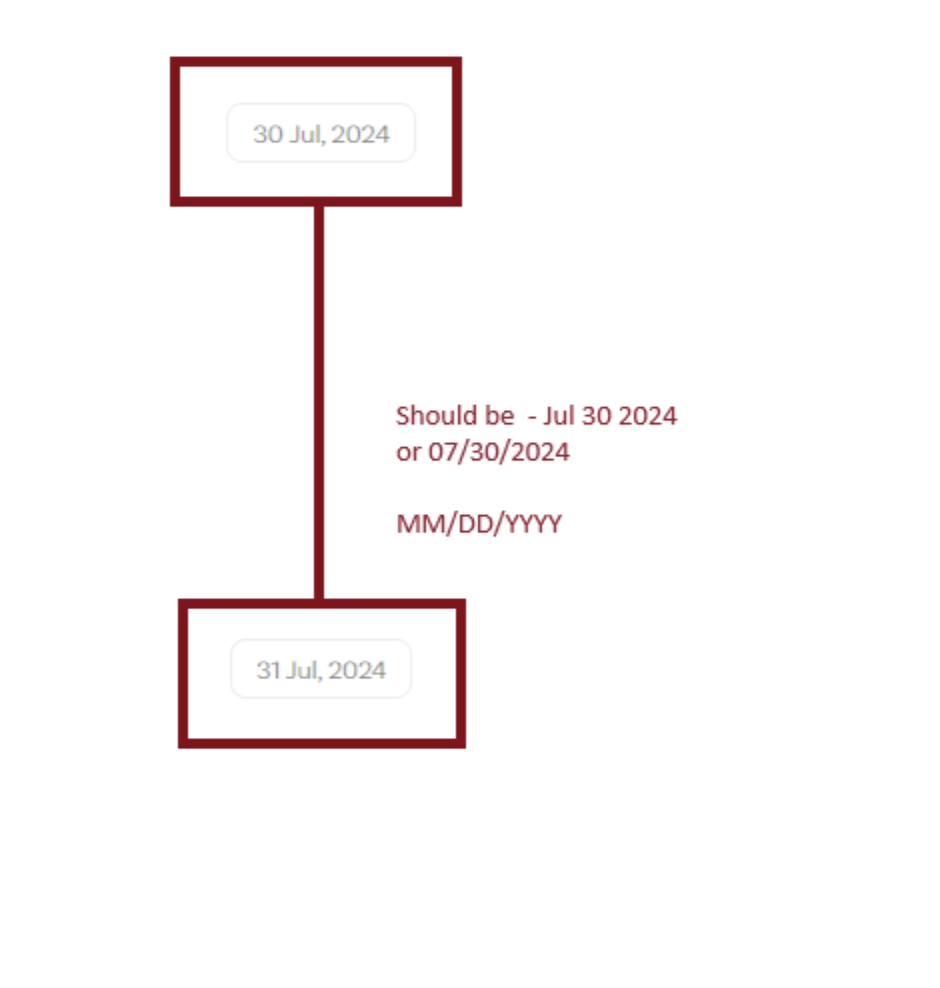
Currently, for older messages in the messages component we display DD/MM/YYYY. Ideally, we can display MM/DD/YYYY to accommodate for different regions (like US).
With this release, developers across all platforms can ensure a consistent, localized experience for their users. 🌍
As always, if you have any questions or run into any issues, please don’t hesitate to reach out — we’re happy to help! 🙌
Pourav Raj
Team
Thank you for your feedback!
We’re excited to share that this feature is now available in our React v6 UI Kit. You can now customize the date format in the messages component, including the MM/DD/YYYY format.
Log in to comment and vote
Comments2
Hi everyone! 👋
Following up on our earlier update — we’re thrilled to share that the custom date format feature is now available across all our UI Kits! 🎉
You can now customize date formats in the messages component on every platform:
Android: Localization Guide
iOS: Localization Guide
Flutter: Localization Guide
React Native: Localization Guide
With this release, developers across all platforms can ensure a consistent, localized experience for their users. 🌍
As always, if you have any questions or run into any issues, please don’t hesitate to reach out — we’re happy to help! 🙌
Pourav Raj
Thank you for your feedback!
We’re excited to share that this feature is now available in our React v6 UI Kit. You can now customize the date format in the messages component, including the MM/DD/YYYY format.
You can find the implementation details here: React v6 UI Kit – Localization.
We’re also working on bringing this functionality to our Android, iOS, Flutter, and React Native UI Kits soon. Stay tuned for updates! 🚀
Please don’t hesitate to reach out if you have any questions or face any issues. We’re here to help! 👍